

ContextWeaver: Finding the Code Before Asking AI to Change It
An AI assistant can write a plausible patch before it has found the right part of a project. Point it at the wrong file and the whole approach changes, no matter how clean the diff looks. Getting that first bit of context right is the part I want to talk about here.
ContextWeaver is a Model Context Protocol (MCP) server, with a matching CLI, that I maintain for exactly this step: finding the code an assistant should read before it plans or edits. It runs a hybrid search over a local index of your repository, returns code with file paths and line ranges, and adds a few smaller tools for browsing structure and looking up symbols. The source is on GitHub under the MIT license. This is a recommendation of my own project, not an independent review.
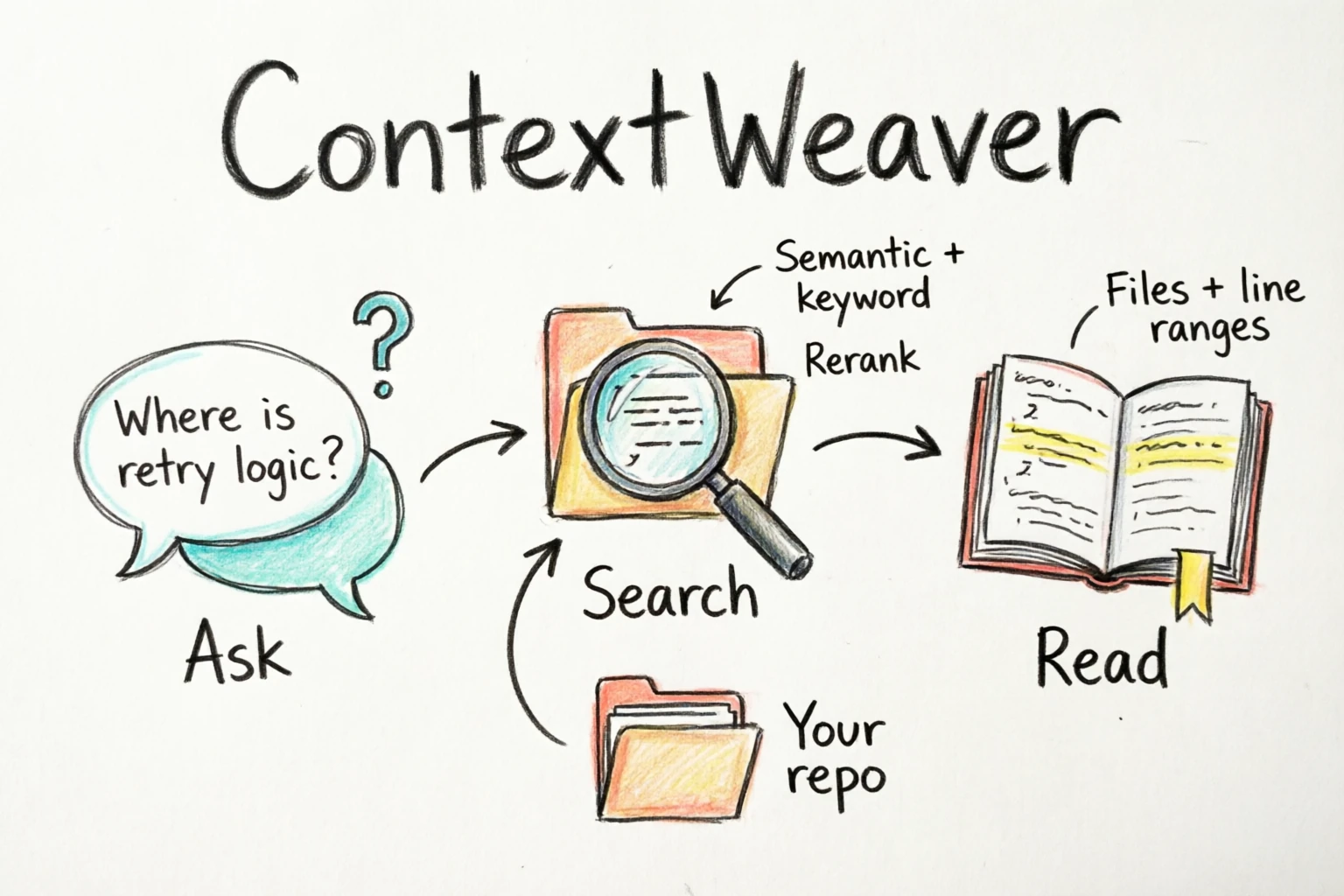
Ask, search, read. A sketch of the workflow, drawn with Bailian, not a product screenshot.
How a query is answered
The first search builds an index. Files are filtered by an extension whitelist and a default exclude list (dependency directories, lockfiles, build output, media, fixtures), and decoded to UTF-8 first, so GB18030 or Shift_JIS sources are fine. Fifteen languages get AST-aware chunks through tree-sitter: TypeScript, JavaScript, Python, Go, Rust, Java, C, C++, C#, Ruby, PHP, Kotlin, Swift, Lua, and shell. Each chunk carries a breadcrumb such as src/retry.ts > class RetryPolicy > method backoff. Markdown and JSON fall back to line-based chunks. Text lives in SQLite, embeddings in LanceDB, and later runs only process changed files.
A query is split in two. information_request describes the behavior you are looking for, and technical_terms carries identifiers you already know exist. Vector recall and FTS5 keyword recall run in parallel, the two lists are merged with reciprocal rank fusion, and a reranker reorders the merged candidates. What comes back is a small context pack, not a list of raw matches:
## src/retry.ts (L42-L78)
> src/retry.ts > class RetryPolicy > method backoff
> sources: vector, lexical | score: 0.710
Around each surviving hit, the expander pulls in useful neighbors: adjacent chunks in the same file, sibling methods under the same class, files it imports, files that import it, and likely call sites, each with a decayed score. Import resolution is language-aware (TypeScript/JavaScript, Python, Go, Java, Rust, C/C++, C#). The packer then merges overlapping chunks into contiguous segments, limits how many segments one file may contribute, and holds the whole answer to a character budget (about 12k tokens by default), so a query returns a few files' worth of relevant code instead of everything that matched.
Three retrieval profiles change the shape of that work: quick narrows recall and skips cross-file expansion, balanced is the default, and deep widens recall and rewrites the query into a few variants. A cutoff stage trims the weak tail of the score distribution; if even the top result falls below a confidence floor, you choose the behavior: return just that hit, return nothing, or return it with a warning.
The rest of the toolset
Five smaller tools ship alongside the main retrieval one: list-files for repository structure, list-symbols for an outline of functions and classes with line ranges (filterable by path, kind, or language), get-symbol-definition and find-references for names you already know, and stats for the index's health and search behavior. Symbols are extracted during indexing from tree-sitter tag queries, with universal-ctags as a fallback for files that cannot be parsed.
The definition and reference lookups are heuristic text matches over the index, not compiler-accurate navigation (the tool descriptions say so). I would keep ripgrep and a language server around for exhaustive or exact work, and treat a returned location as a place to investigate rather than proof that every call site was found. The five supporting tools answer from local data; the embedding API is only used when the index has to be built or updated. The stats tool reports cache hit rate and per-stage latency (retrieve, rerank, expand, pack) if you want to see where a query spends its time.
Trying it on one repository
ContextWeaver needs Node.js 20 or newer, and the package installs globally:
npm install -g @chiway/contextweaver
contextweaver init          # writes ~/.contextweaver/.env
contextweaver config wizard # walks through the required settings
Two services are required, both configured in ~/.contextweaver/.env. One is an embedding endpoint that speaks the OpenAI embeddings format; the other is a reranker that accepts a query and documents. The template points at SiliconFlow, but any compatible provider works (the reranker client understands both Cohere-style and DashScope-style responses). Run contextweaver config validate to check the result. The index itself lives under ~/.contextweaver, but searching is not offline: chunk text goes to your embedding service and candidate excerpts go to the reranker, so choose providers you are comfortable sending the repository to. The default excludes and your repository's root .gitignore decide what gets indexed, which is worth reviewing before pointing it at anything sensitive.
Indexing can be done upfront with contextweaver index, which prints a report, but it is also automatic: the first search builds it. From the repository root:
cw search --information-request "Where are failed HTTP requests retried, and how is the retry delay chosen?"cw is the short alias for the command. contextweaver watch keeps the index current while you work: one incremental scan at startup, then filesystem events with a short debounce (500 ms by default).
For an MCP client, the server is one entry:
{
  "mcpServers": {
    "contextweaver": {
      "command": "contextweaver",
      "args": ["mcp"]
    }
  }
}
If your client cannot find the command on PATH, point it at the absolute path of the installed binary. The project is also listed on the MCP registry as io.github.wchiway/contextweaver, and the README has one-click install buttons for VS Code.
A few honest notes before you try it. Installation pulls native modules (SQLite, LanceDB, tree-sitter). The first index of a large repository costs embedding calls, though later runs only touch changed files. The CLI's log lines and the stats report are currently written in Chinese, while the results returned to the model are formatted in English.
What I would actually do is start with one repository and a few questions whose answers I already know. Check whether the returned lines really explain the behavior, whether the expansion earns its keep, and whether the extra indexing and API calls are worth it for that codebase. A tiny project with obvious filenames probably does not need any of this. But if you regularly hand an assistant unfamiliar code, a retrieval step like this is worth having: keep the terminal tools alongside it, follow the paths it returns, and run the tests before trusting a proposed change.
The repository, with the source and setup instructions, is at github.com/wchiway/contextweaver-mcp, and the project site is contextweaver.work. The current release is 1.5.4.